Step 1
Don't have second device near you? Try Manual Installation.
Save 15% with code HYPER!
Apply it at checkout
eSIM Installation
To successfully install eSIM, please follow all steps of the instructions carefully.
Step 1
Don't have second device near you? Try Manual Installation.
Step 2
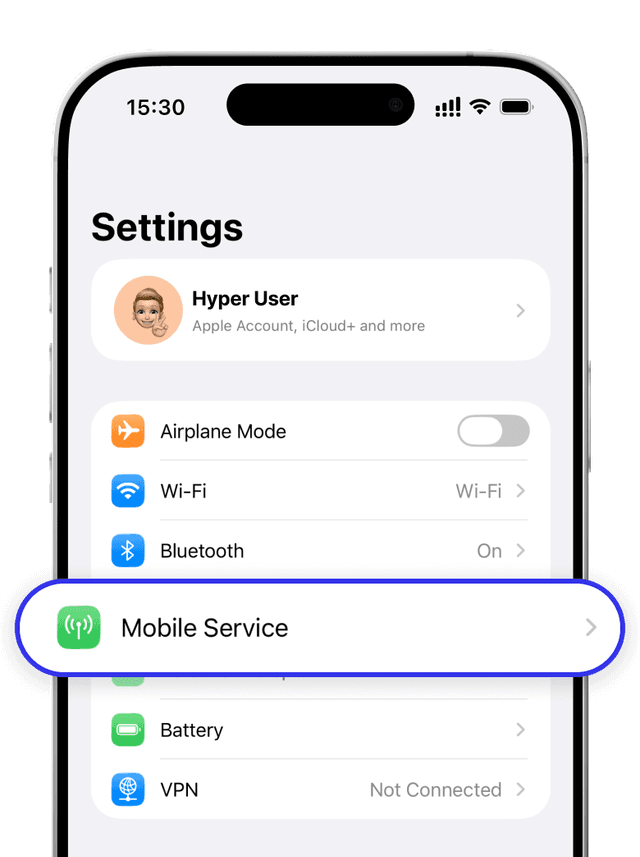
Step 3
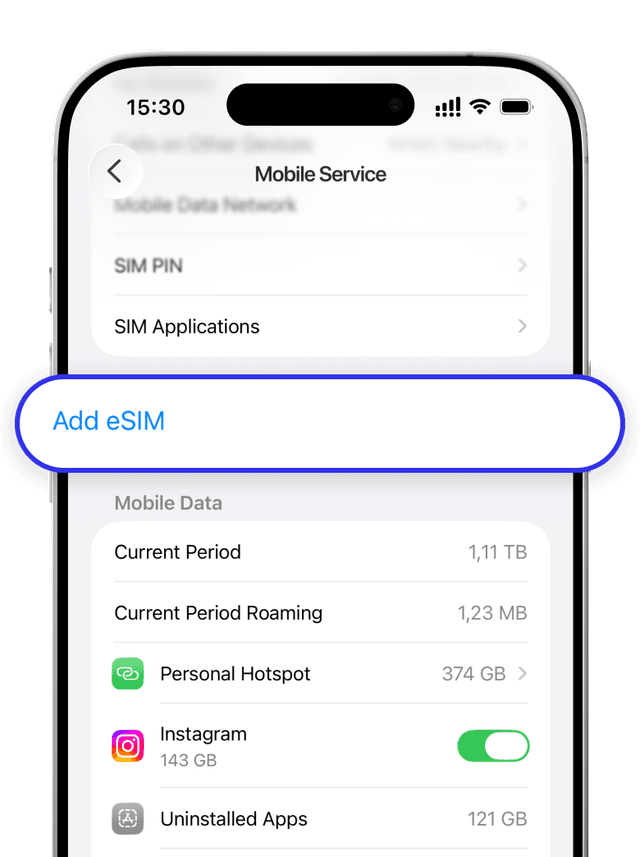
Step 4
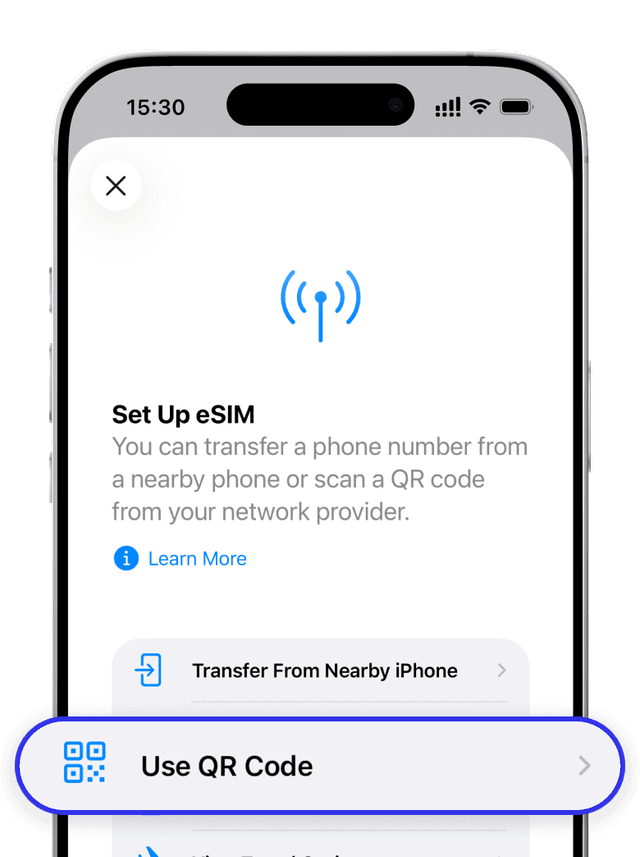
Step 5
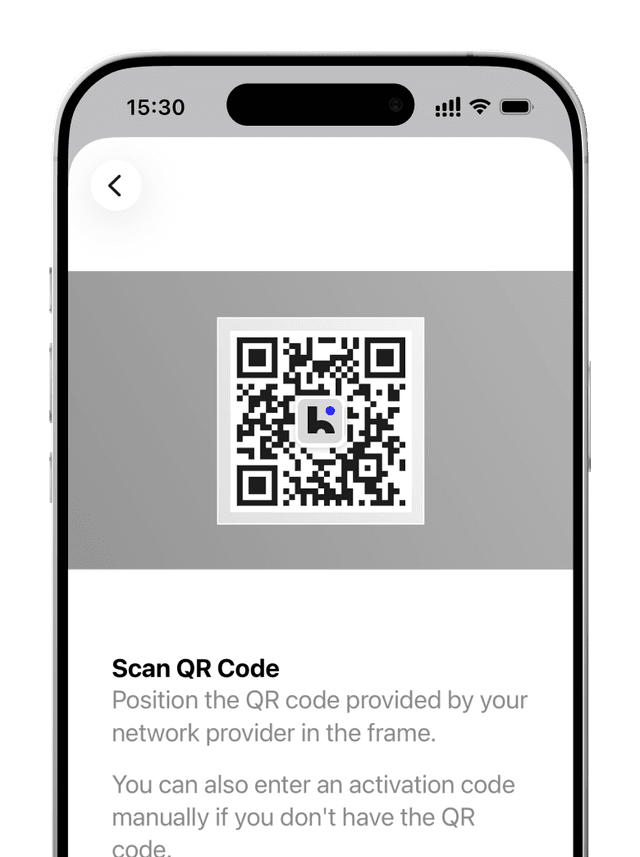
If there is a problem with the network connection — turn on the Flight Mode for 8 seconds. Сonnection process can last for 10 minutes.
FAQ
If you have done all the items correctly – esim is installed!
eSIM can only be reinstalled on the same device
Still need help ?
Do not hesitate to contact our team!